Rock Recs: Fall 2026 Edition
A look at what we've been building, what's happening in the Rock community, and a few resources worth checking out.
Fall is officially here, the leaves are starting to turn, and pumpkin spice lattes have made their grand return. Who else is already on their second one?
Here at DTS, we're gearing up for conference season, and we're looking forward to seeing some familiar faces, meeting some new ones, and shaking a few hands along the way. We've also launched a new website and brand, and we've been busy helping churches get even more out of their Rock environments. Let's take a look at a few highlights from Q3.
Come find us this fall
CITN Conference
October 4–6 · Louisville, KY
Rock RX 2026
November 3–5 · Phoenix, AZ
If you'll be at either one, let us know. We'd love to connect in person.
Helping Churches Do More in Rock
Project 1 of 3
Appointment Scheduling Inside Rock
One church was using a separate tool to schedule appointments, which meant the information wasn't connected to the rest of the person's record in Rock. We helped them bring the entire process into Rock, including recurring availability, blocked dates, confirmations, reminders, and the ability for people to change or cancel their own appointments.
The same setup can also be used for things like room reservations, counseling appointments, or benevolence meetings — without adding another system for staff to manage.
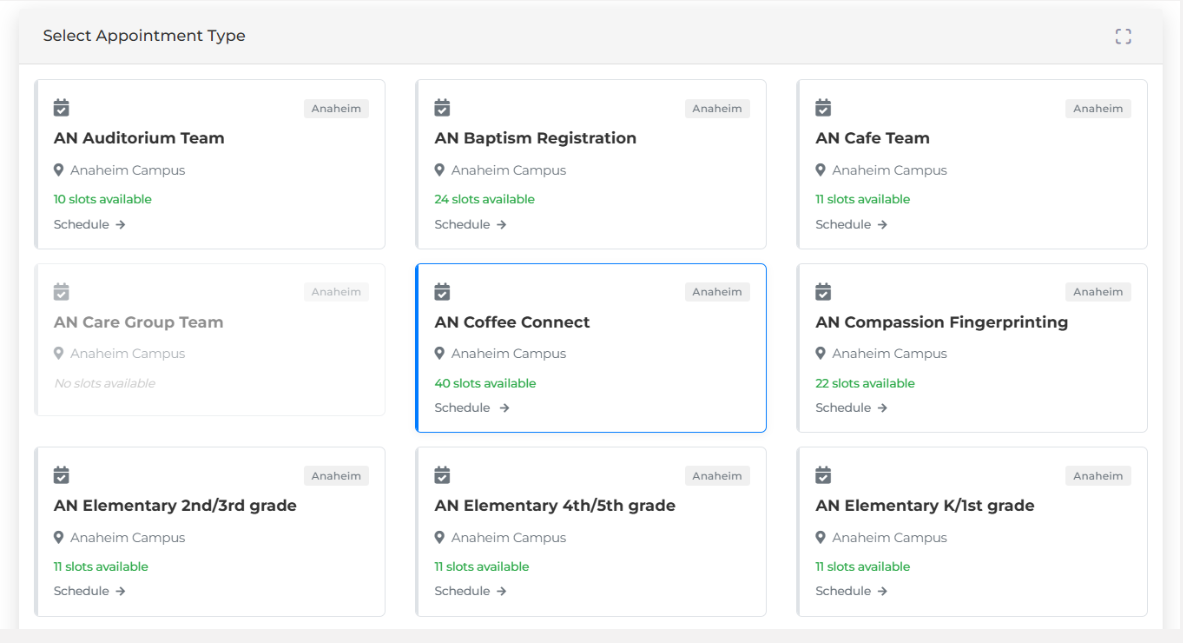 1. The picker a member sees: appointment types by campus, with live slot counts.
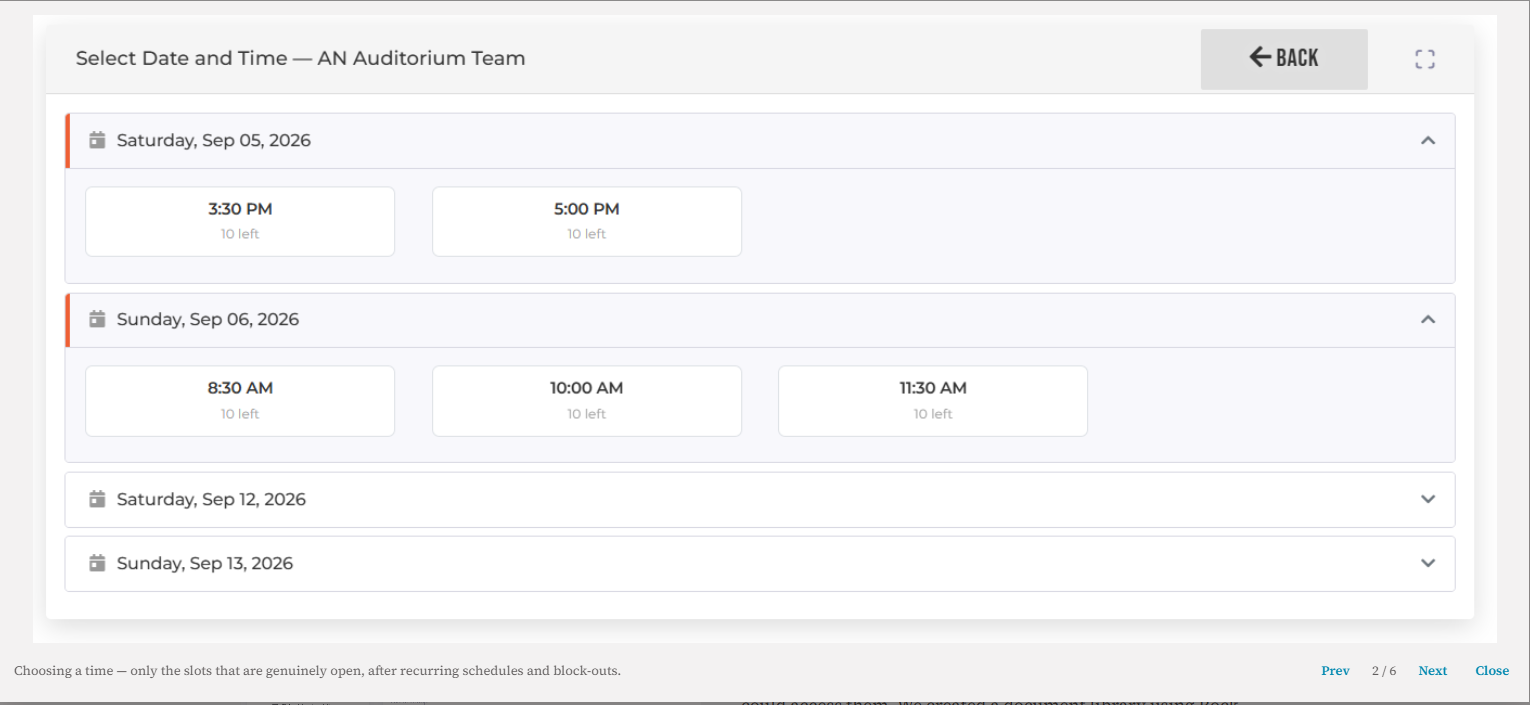 2. Choosing a time — only the slots that are genuinely open, after recurring schedules and block-outs.
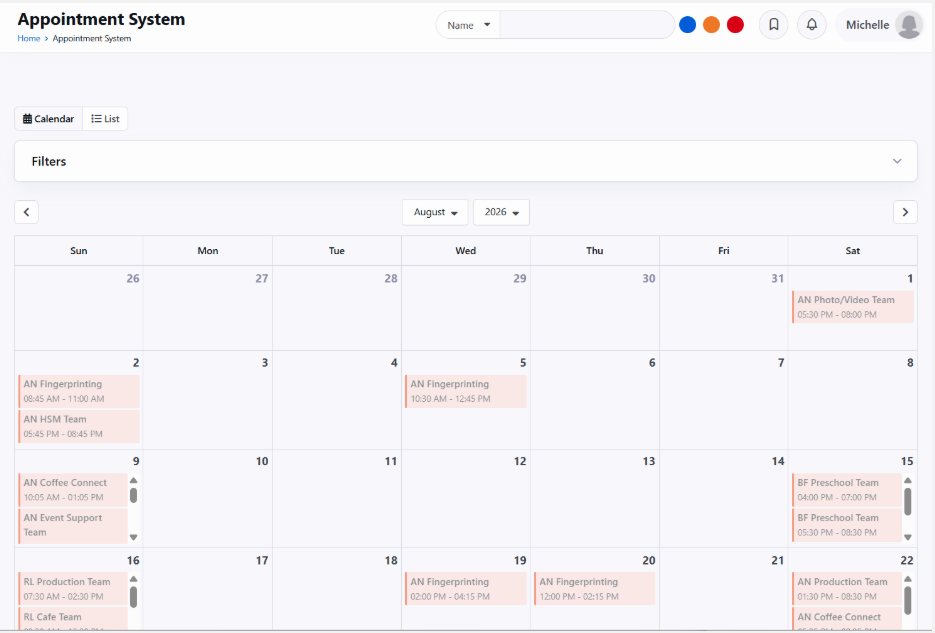 3. Staff side: every appointment across campuses on one calendar.
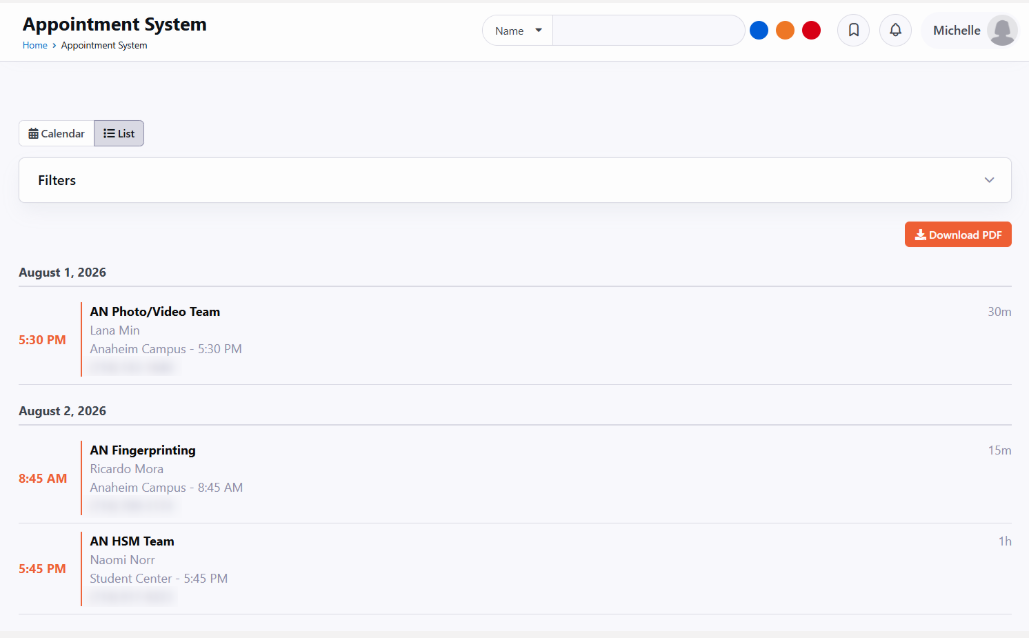 4. The same calendar as a list, printable straight to PDF.
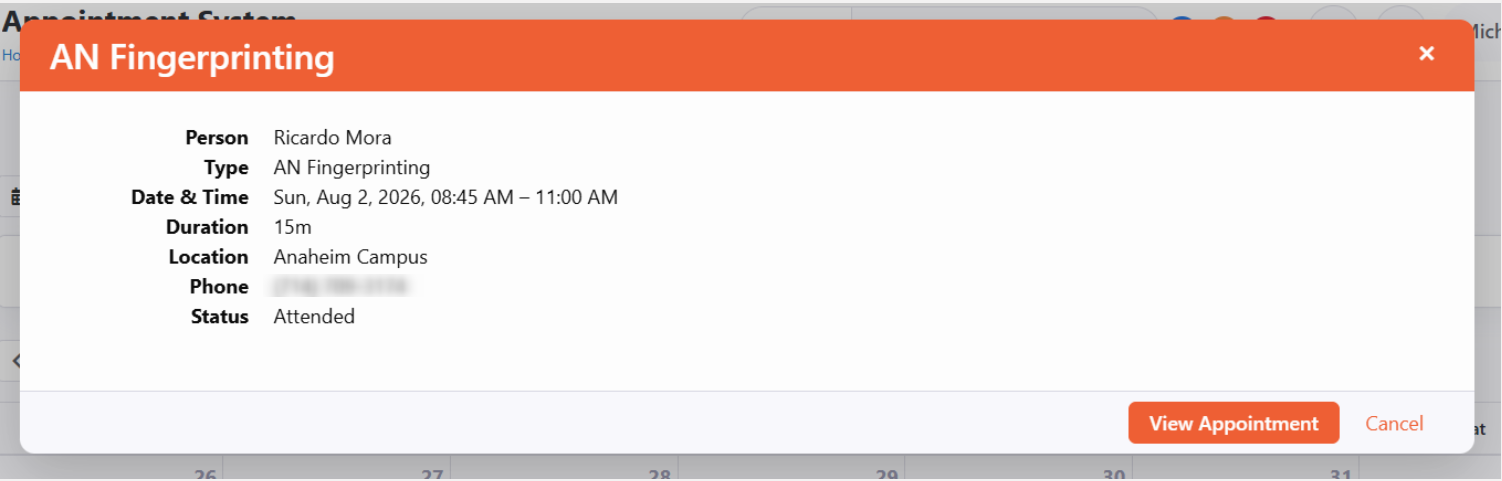 5. A quick look at any appointment without leaving the calendar.
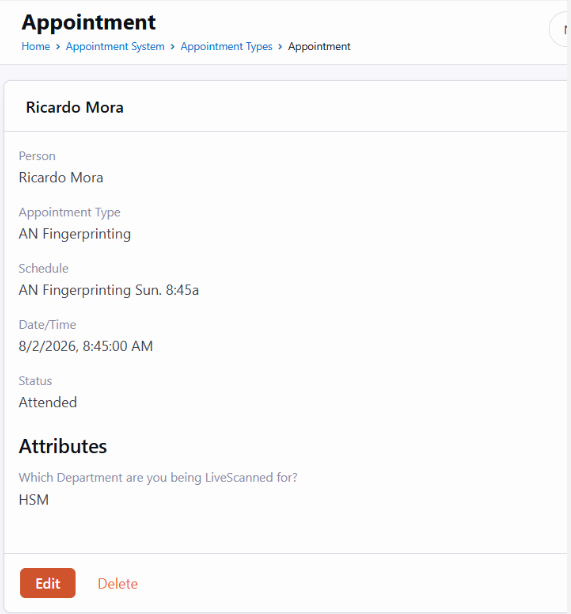 6. The appointment record, with the custom attributes the church asked for and an Edit button.
Click any screenshot to open it at full resolution.
Project 2 of 3
A Secure Document Library in Rock
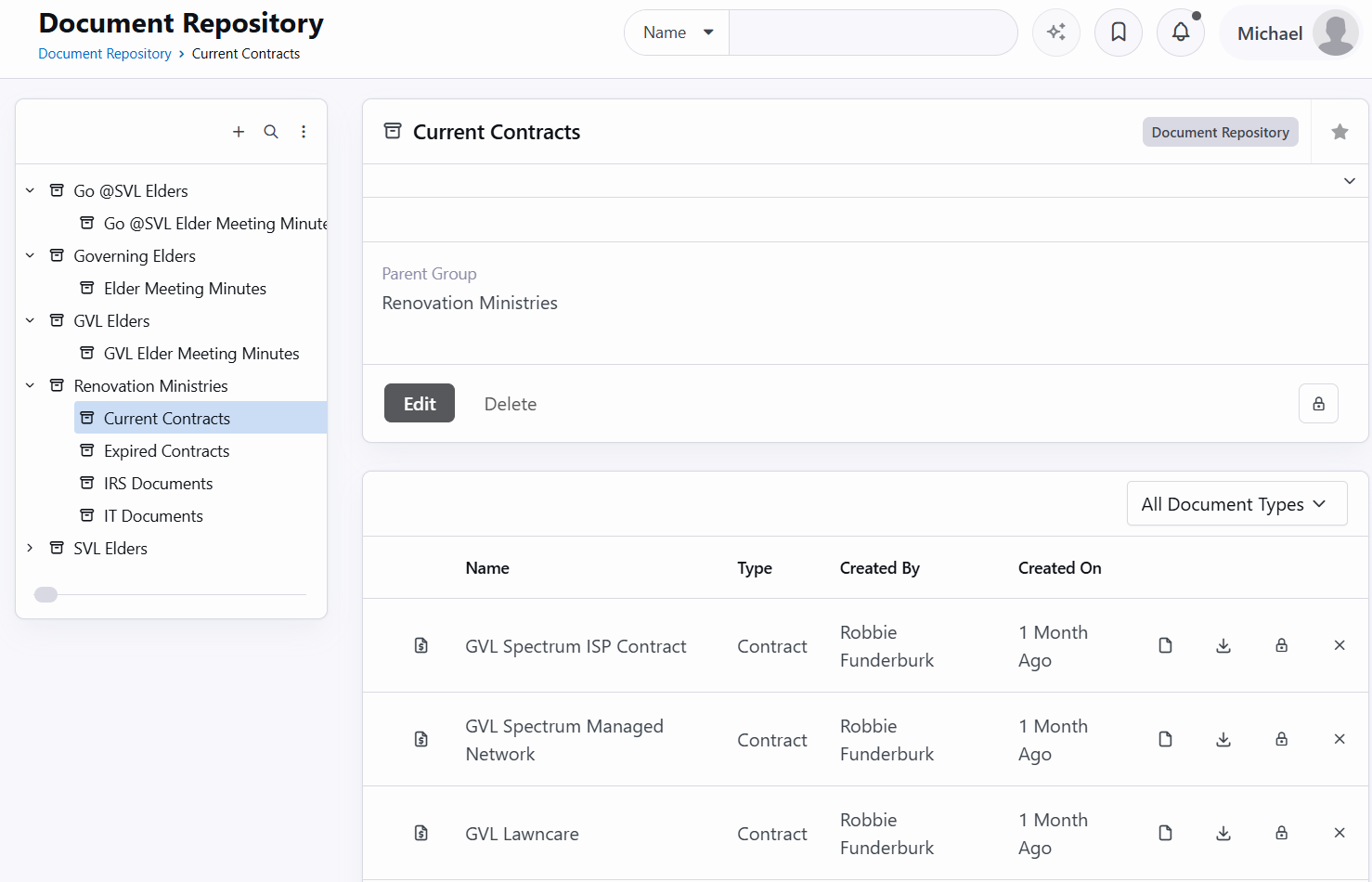
One church needed a better way to organize contracts, vendor agreements, and other internal documents while controlling who could access them. We created a document library using Rock groups, with a separate group for each document category.
Staff can upload documents where they belong, and access is managed through Rock's existing security settings. That means fewer files scattered across shared drives and no additional system to maintain.
Project 3 of 3
Making Small-Group Placement Easier
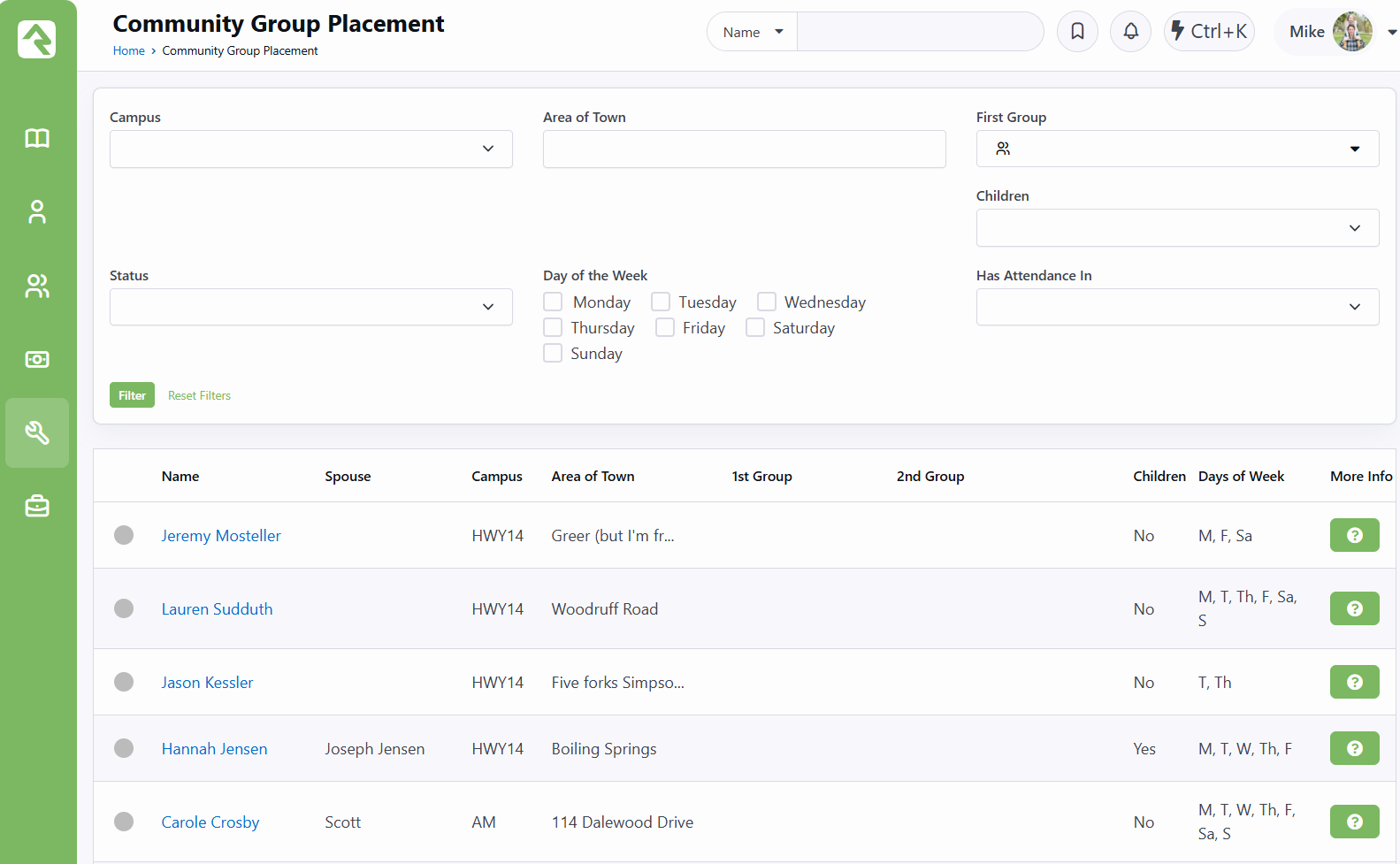
This church wanted staff to personally help people find the right small group instead of asking them to sort through a long list on their own. We created a dashboard that brings each person's interest form, location, and group preferences together in one place.
Staff can review the information and assign first- and second-choice groups without jumping between multiple pages, making the follow-up process much easier to manage.
Could something like this help your church?
If one of these projects gave you an idea — or reminded you of a process your team has been struggling with — let us know. We'd be happy to talk through what might be possible in your Rock environment.
Talk With the DTS Team